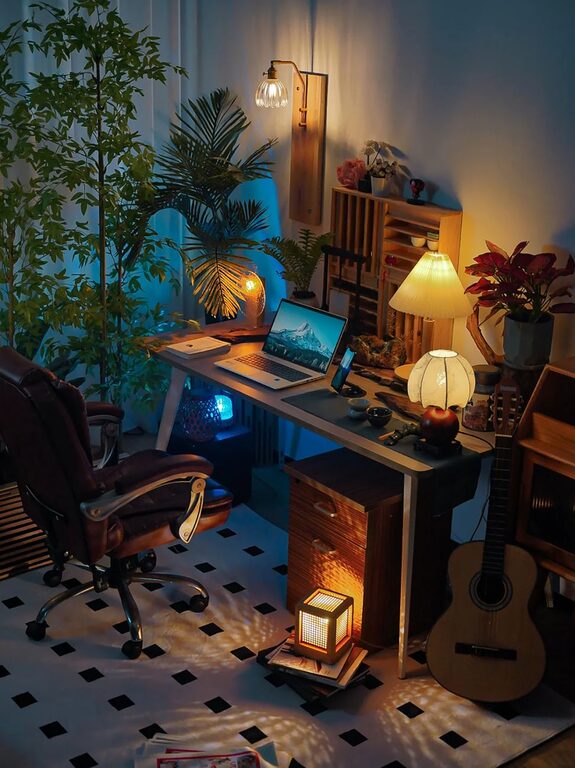
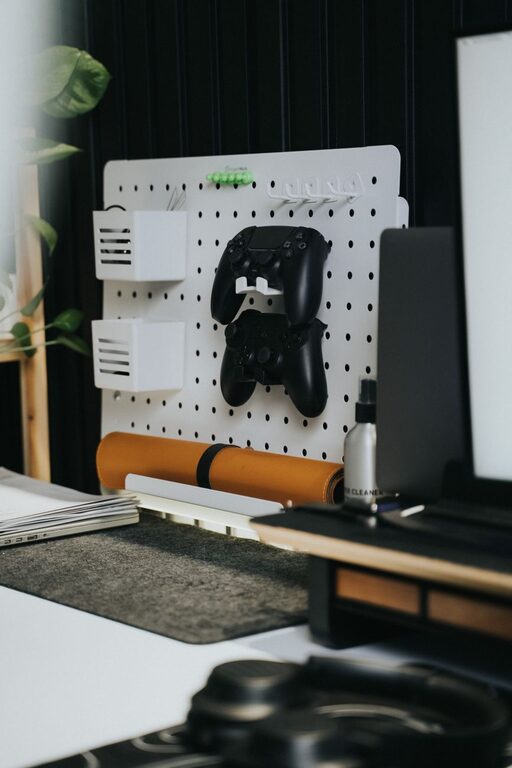
Creating a home workspace that balances coziness and functionality is essential for anyone working or studying from home. A well-designed area not only boosts productivity but also supports your well-being and focus. Whether you have a dedicated room or a small corner, these tips will help you set up a space that feels inviting and works perfectly for your needs.
Choose the Right Location
Finding the best spot for your home office is the first step. Ideally, pick a quiet area with minimal distractions. If possible, select a space near a window to take advantage of natural light, which can improve mood and reduce eye strain.
Consider Noise Levels
Make sure the spot you choose is relatively quiet. If you live with others, consider a room where noise is least likely to disrupt your work. If you can’t avoid higher activity areas, noise-cancelling headphones may be a helpful investment.
Focus on Ergonomics
Comfort is key when you spend hours at your desk. An ergonomic setup helps prevent discomfort and supports long-term health.
– Chair: Choose a chair with good lumbar support and adjustable height.
– Desk height: Your desk should allow your elbows to be at a 90-degree angle when typing.
– Monitor placement: Position your screen at eye level, about an arm’s length away.
– Footrest: If your feet don’t sit flat on the floor, use a footrest to maintain posture.
Bring in Cozy Elements
Adding warmth and personal touches can make your workspace feel inviting.
– Soft textiles: Use a plush rug or a textured cushion on your chair.
– Lighting: Combine ambient lighting with a stylish desk lamp to create a warm glow.
– Plants: Small potted plants or succulents freshen the air and add a splash of color.
– Artwork: Hang prints or photos that inspire or calm you.
Organize Smartly
A clutter-free space reduces stress and keeps you focused.
Use Storage Solutions
Keep supplies and paperwork tidy with storage boxes, shelves, or filing cabinets. Label containers for easy access.
Desk Layout
Only keep essentials on your desk, like your computer, a notebook, and a pen holder. Store less frequently used items elsewhere.
Optimize Technology
Make sure your tech supports your work without causing frustration.
– Reliable internet: A strong Wi-Fi connection is crucial.
– Accessories: Use a wireless keyboard and mouse to reduce cable clutter.
– Charging station: Create a specific spot to keep devices charged and organized.
Personalize Your Space Without Overdoing It
Your workspace should feel like your own but avoid overcrowding it.
– Choose a few meaningful decor items.
– Keep surfaces clean and avoid too many distractions.
– Switch out items seasonally to keep the space fresh.
Set Boundaries
A cozy workspace can sometimes make it hard to separate work from relaxation. Set clear boundaries to maintain balance.
– Use a specific workspace that you enter and leave for work.
– Set working hours and stick to them.
– Take short breaks to move around and refresh your mind.
Maintain Your Workspace
Regularly declutter and clean your area to keep the space pleasant and functional.
– Weekly tidy-ups.
– Clean your keyboard and screen.
– Rotate plants or decor to keep things lively.
—
Designing a cozy and functional home workspace takes some thought but is well worth the effort. With the right location, ergonomic furniture, personal touches, and smart organization, you can create a place that inspires productivity and comfort every day. Take small steps to improve your setup, and you’ll notice the difference in how you work and feel at home.
About the Author